

One API for every connected machine
Do you want one API to connect, monitor, and manage mixed vending and OCS fleets?Give software partners and operators one consistent way to work across supported equipment.
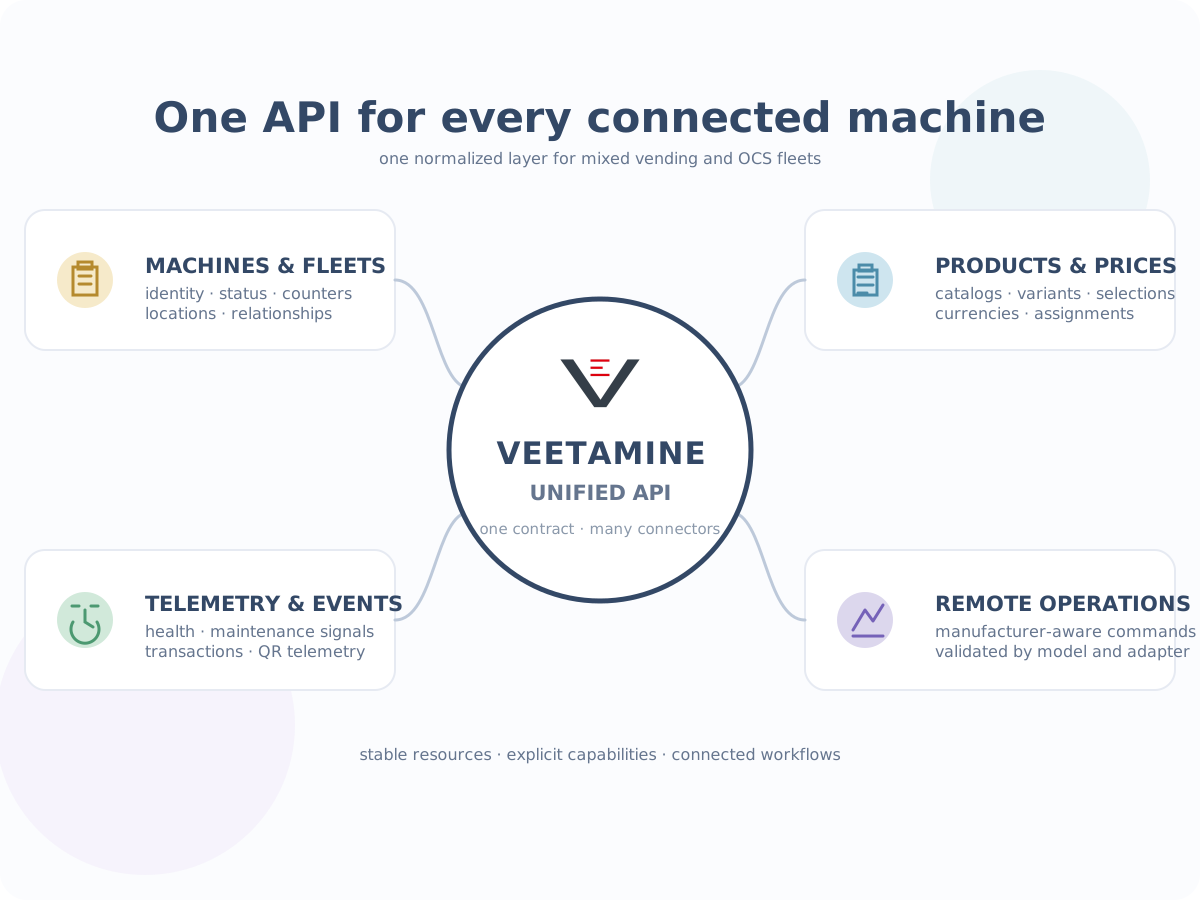
Veetamine provides the integration layer between manufacturer equipment and the applications that run the business.
Connect eligible FRANKE, FAS, EVERSYS, RHEA, and EVIS equipment through one normalized API for fleet data, products, pricing, telemetry, events, and supported remote operations.
Integrate once, operate across manufacturers
Every manufacturer has its own protocols, identifiers, product structures, telemetry formats, and command behavior. Build against stable Veetamine resources while configured manufacturer connections stay behind the adapter boundary.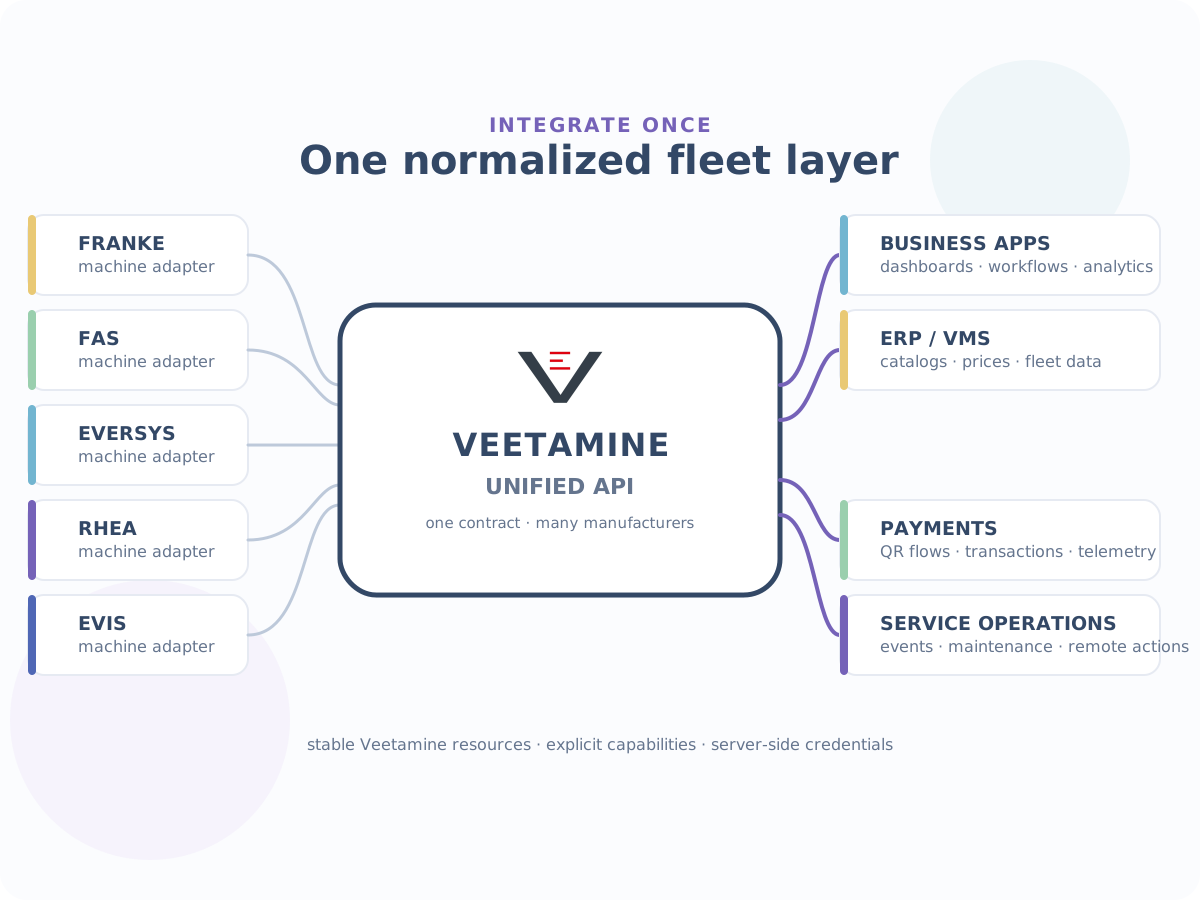
Turn equipment data into business workflows
Use the unified API to connect fleet operations, commerce, service, and reporting workflows.Fleet visibility
Build dashboards for availability, last-seen status, health, maintenance, and locations.
Catalog synchronization
Synchronize products, variants, selections, assortments, and manufacturer mappings.
Pricing workflows
Manage currency, payment-method pricing, bulk updates, assignments, and price resolution.
QR-enabled vend flows
Connect QR payment telemetry and transaction reconciliation to the rest of your stack.
Service workflows
Trigger replenishment, preventive maintenance, cleaning, and service processes from events.
Validated remote operations
Use manufacturer-aware operations only where the adapter and machine model support them.
What the unified API covers
Normalized resources give your applications one stable fleet interface across supported equipment.Machines
Fleet identity, metadata, status, counters, locations, and machine relationships.
Products and variants
Catalogs, variants, names, selections, and manufacturer mappings.
Product lists
Shared assortments and machine menus.
Prices
Currency, payment-method pricing, bulk updates, assignments, and price resolution.
Events
Operational events, maintenance signals, and cleaning status.
Transactions and telemetry
Vend records, external transaction correlation, QR payment telemetry, and status updates.
Supported remote operations
Validated manufacturer- and model-specific actions exposed by the configured adapter.
Connections and capabilities
Connection environments, manufacturer adapters, and the capabilities available to each model.
Supported native manufacturers
FRANKE, FAS, EVERSYS, RHEA, and EVIS are onboarding targets where the relevant connector and machine model have been enabled and validated.


Payment Providers
Payment integrations supported by Veetamine.

Built for the equipment ecosystem
Connect the equipment ecosystem to the software that powers the business.Machine manufacturers
Expose connected equipment through a consistent fleet interface while manufacturer-specific work stays behind the adapter boundary.
Vending operators
Manage mixed fleets through one operational data layer for service, billing, inventory, and reporting.
OCS providers
Connect office coffee equipment to customer, service, billing, product, and telemetry workflows.
Payment and enterprise software
Correlate machines, selections, products, prices, transactions, and payment telemetry across brands.
Simple onboarding
Start with the right credentials, configure connections securely, and build against normalized Veetamine resources.01.
Bring your manufacturer credentials
Request the required test or production credentials from each manufacturer you want to connect.02.
Configure connections in your account
Open My Account and select a manufacturer and environment. Credentials remain protected by Veetamine.03.
Create your Veetamine credential
Create a scoped Veetamine API client or key for your application or integration environment.04.
Start building
Call normalized Veetamine resources and use the capabilities exposed for each connection and model.Security by design
Manufacturer credentials and Veetamine client secrets are integration credentials, not application content.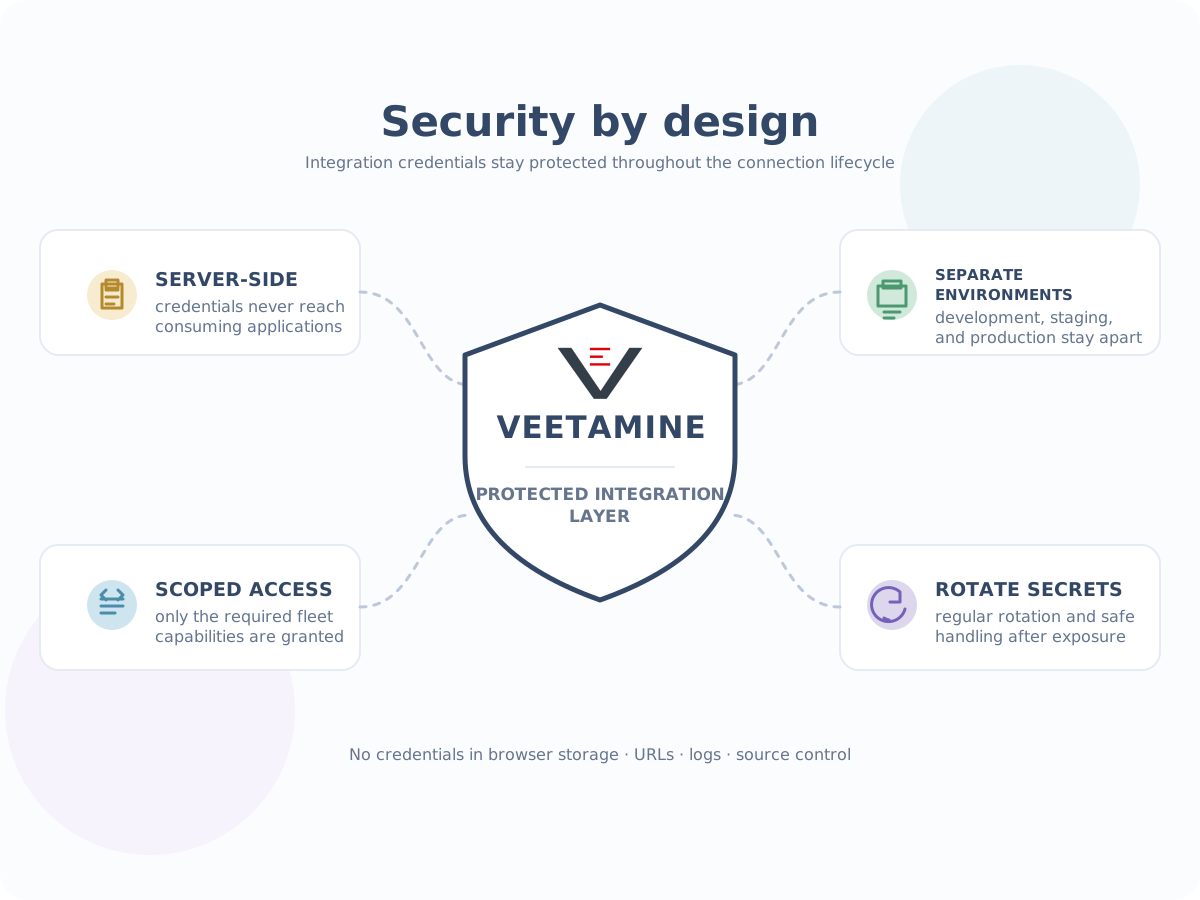
Capability-aware by default
The unified resource model is shared where appropriate, but remote-command coverage depends on the adapter, machine model, firmware, and connection configuration.Adapter capability
Only operations implemented and validated by the enabled manufacturer adapter are exposed.
Machine-model coverage
The same manufacturer may expose different operations depending on model and firmware.
Explicit integration contracts
Build against the capabilities reported for the relevant connection instead of assuming universal commands.
Frequently asked questions
A few practical answers before you connect your first fleet.Do I need a separate integration for every manufacturer?
Your application integrates with Veetamine once. You still need valid manufacturer credentials for every manufacturer connection you want to use.
Can I use manufacturer credentials directly in my application?
No. Configure manufacturer credentials in Veetamine and keep them server-side. Your application should use its own scoped Veetamine credential.
Does every machine support the same remote operations?
No. Supported operations depend on the manufacturer adapter, machine model, firmware, and connection configuration.
Can I connect test and production equipment?
Yes. Use separate credentials and integration clients for each environment, and confirm endpoint, region, model coverage, and scopes before provisioning equipment.
Where do I start?
Explore the API, sign in to the Dashboard to begin onboarding, or contact an integration specialist.